Bidder Consortia
After the opening of offers for an award procedure, bidder consortia can be created or existing bidder consortia can be dissolved.
To do this, select the menu item BUSINESS PARTNERS – BIDDER CONSORTIUM.
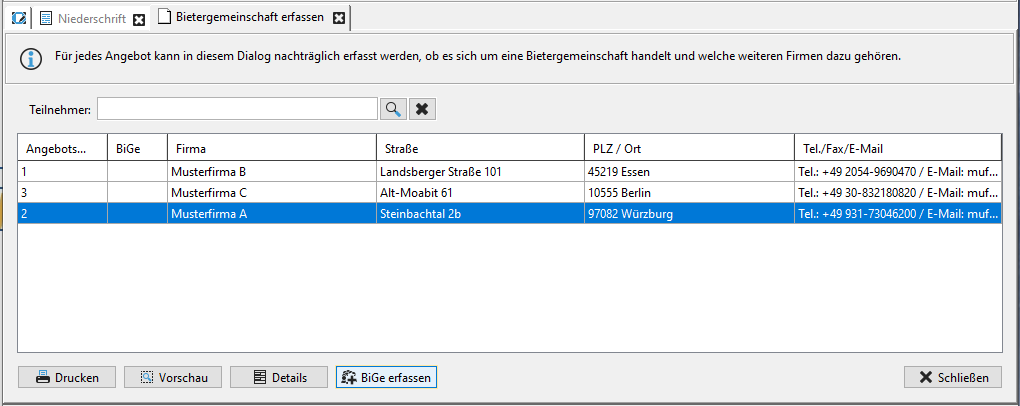
The Enter bidder consortium tab is opened.
Tip
Sort the list of offers as needed by clicking on the corresponding column heading.
To enter a new bidding consortium, select the corresponding data record in the list and then click on the button Enter bidder consortium. Confirm the following question with Yes.
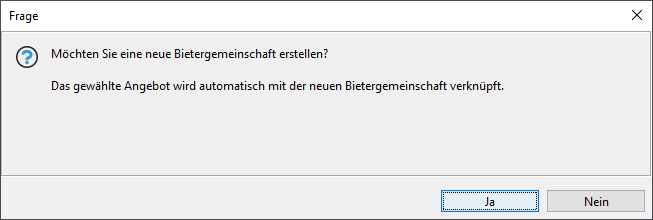
The Edit bidding consortium window opens.
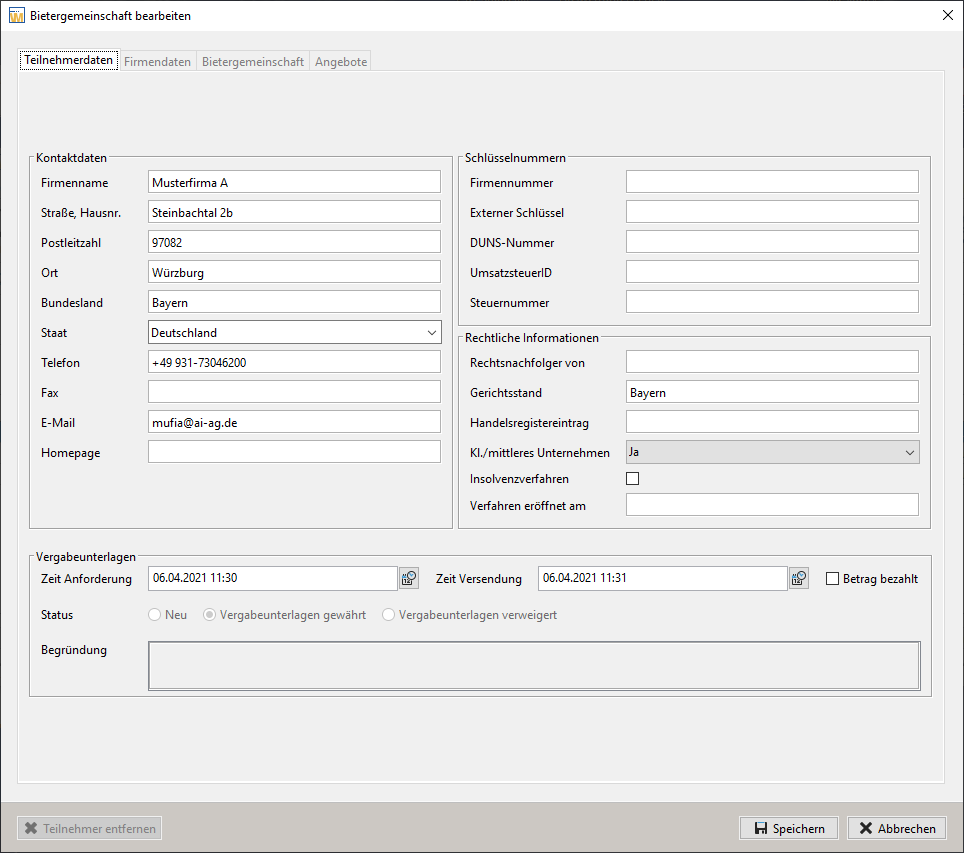
The first tab of the window contains the participant data. This data can be updated here. The company data is displayed in the second tab for information purposes only. In the Bidder Consortium tab, you can add or remove members of the bidder consortium. You can see the contact details at the bottom of the window.
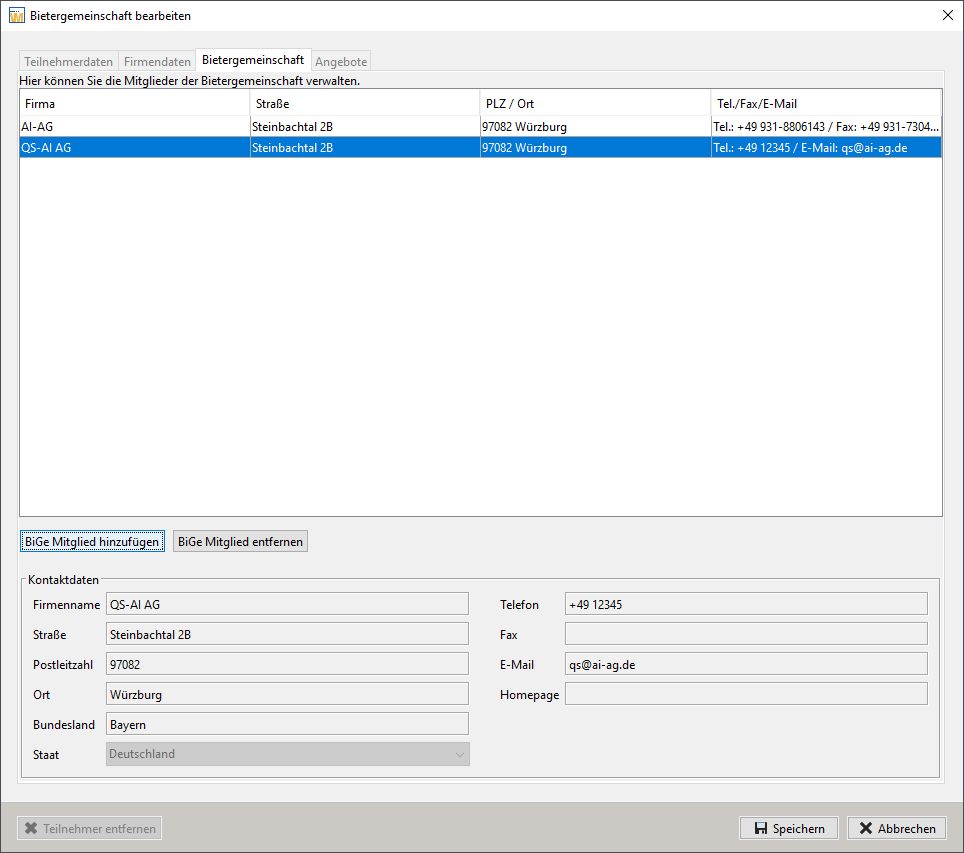
Click on the button Add member.
The Company overview window opens.
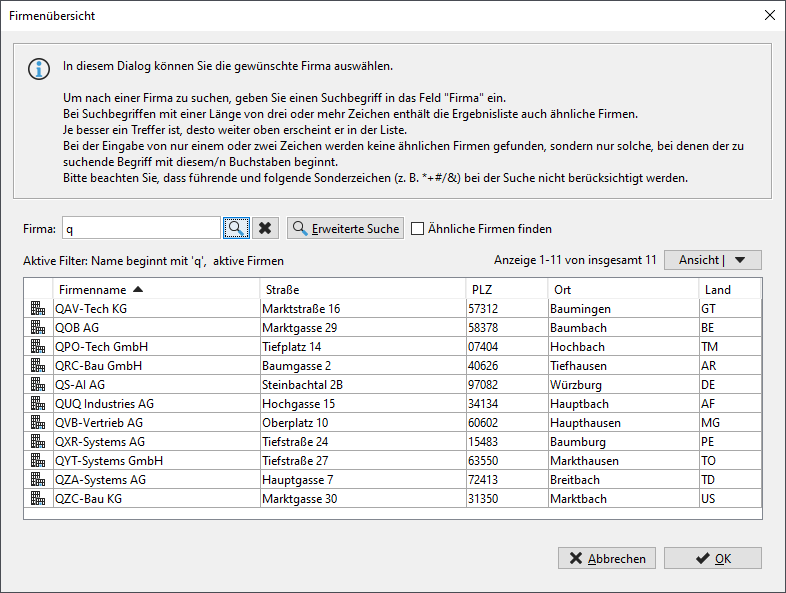
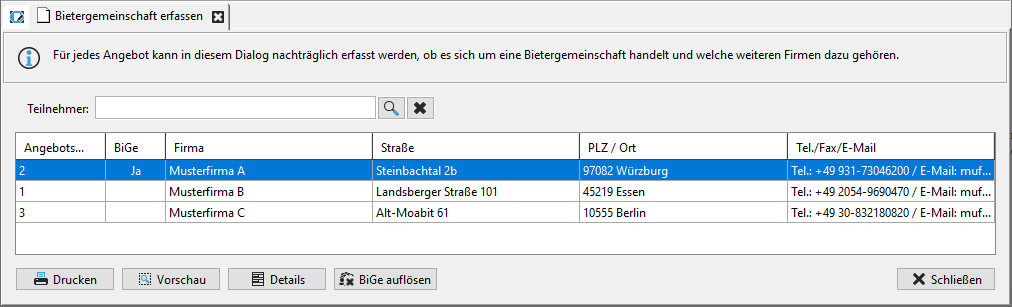
Search for the desired company in the list of companies, select it and then click OK. The data record is displayed in the list of members of the bidding consortium. Click on the Save button in the Edit consortium window. The new consortium is indicated in the list of participants with a Yes in the Consortium column.
Tip
A bidding consortium can be dissolved at any time using the "Dissolve BiGe" button. This will re-link the offer to the original participant.
You can use the Details button to view the bidding consortia that have already been entered, update the participant data, add new members and check which of the offers the bidding consortium is linked to on the Offers tab.

Info
When a bidding consortium is set up, the software checks whether bidding consortiums already exist for the selected participant. If this is the case, the existing bidding consortiums are displayed for selection and the offer is attached to the selected bidding consortium. If necessary, a new bidding consortium can also be set up using the New button.
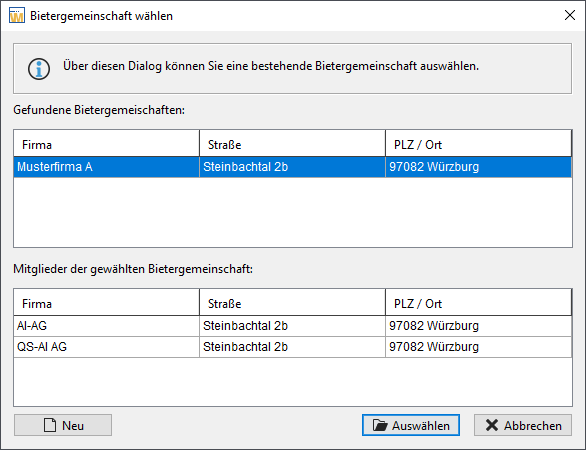
After that, the data of the participant of the selected bidding consortium can be changed via the details dialog.